 PlayTirangaGame.org

Tiranga Game at a glance
| Login tabs | Phone Number, Email |
|---|---|
| Country code | +91 India |
| Register asks | Phone number, verification code, password twice, invite code (optional), Privacy Agreement |
| Verification step | Yes: a Verification Code field with a Send button |
| Forgot password | Contact customer service, says the screen |
| Age | The page says above 18 only |
How to log in to Tiranga Game
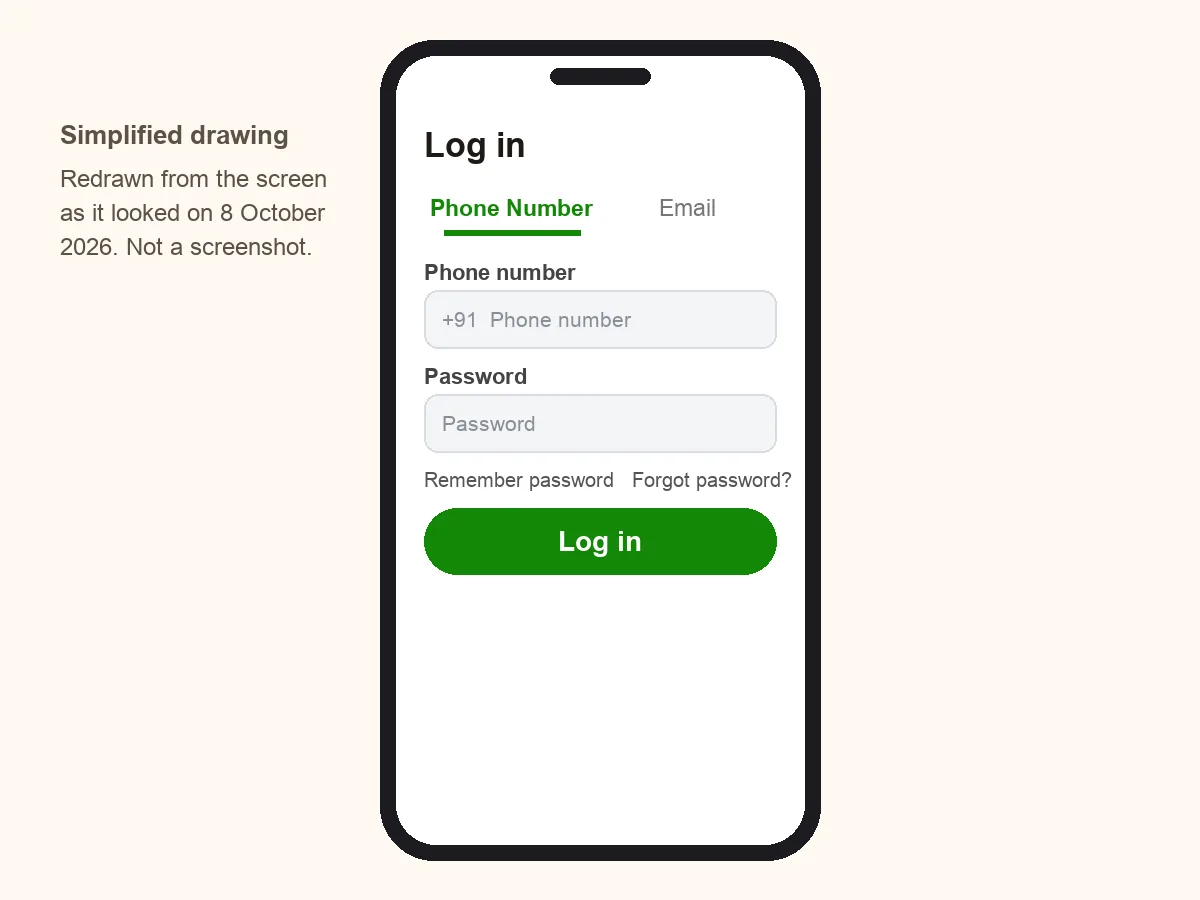
- Tap Login. The Tiranga sign-in screen reads "Please log in with your phone number or email".
- Choose Phone Number or Email.
- For a phone account keep +91 India and type your number.
- Enter your password; tick Remember password only on your own phone.
- Tap Log in.
Tiranga Game register: the code step
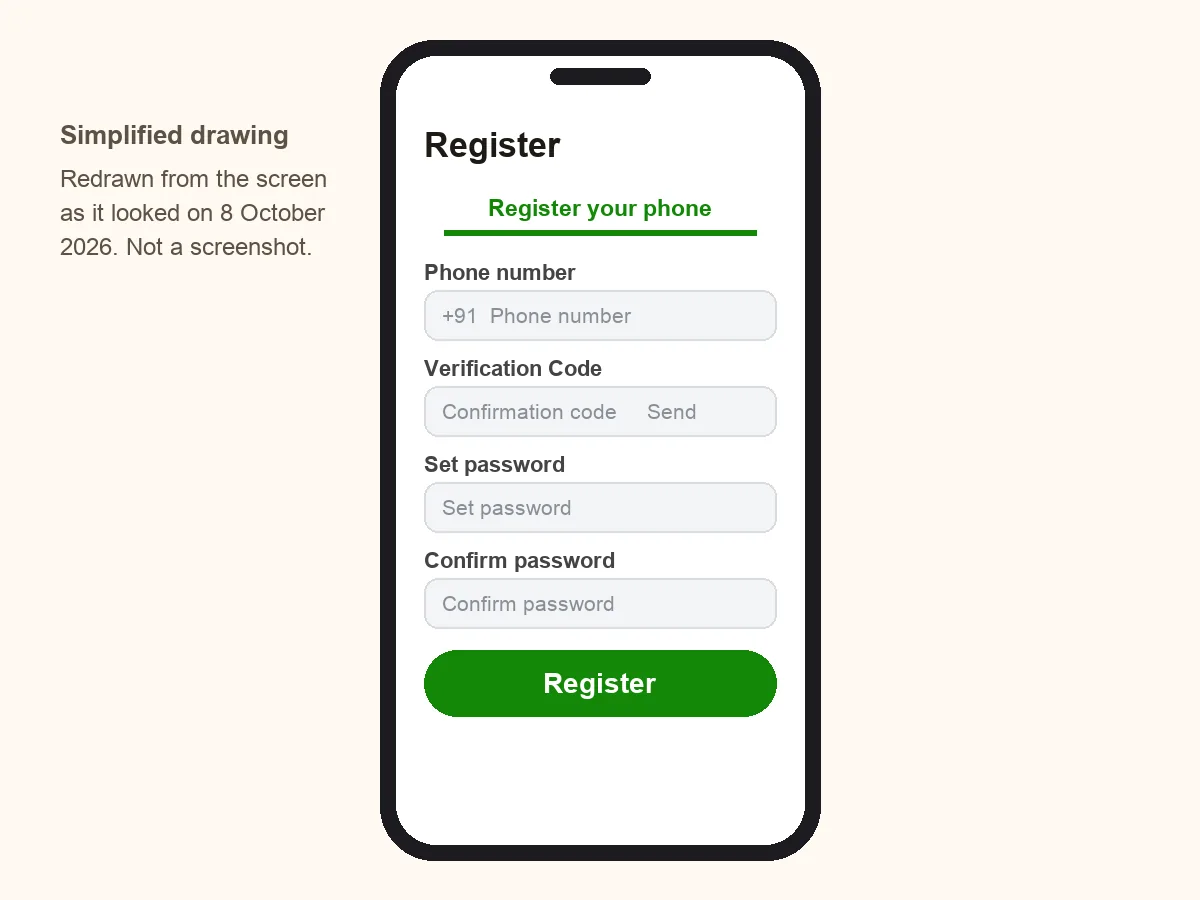
Unlike many similar platforms, the Tiranga register form has a verification step. Tap Register and fill in the fields in this order:
- Phone number with +91 India.
- Verification Code: tap Send beside the box and type the code you receive.
- Set password and Confirm password.
- Invite code: marked optional and already filled when you come from this page.
- Tick "I have read and agree" to the Privacy Agreement, then tap Register.
Type the code only into the Tiranga form you opened yourself. Never read a code out to someone who calls or messages you.
Tiranga login problems and fixes
- Account not found. Check you are on the right tab: phone accounts sign in from Phone Number, email accounts from Email.
- Code not arriving at sign-up. Check the number and the +91 box before tapping Send again.
- Password rejected. Clear any autofilled password and type it yourself.
- Password forgotten. The screen says to contact customer service; use the support icon inside the platform.
- Lookalike pages. The platform's own notices warn about scams. Sign in only where you registered.
Inside Tiranga Game
The Tiranga home screen carries Log in and Register buttons at the top right, a scrolling notice, and the game groups: Popular, Casual Games, Arcade, Puzzles, Sports, Card Games, Fishing and Original. Original is by far the largest, with 137 titles shown.
Casual Games holds five quick rounds: Win Go, K3, 5D, Trx Win Go and MotoRace. The bottom bar reads Home, Activity, a "Get ₹500" wheel in the centre, Promotion and Account.
Wallet, Activity and Promotion
There is no Wallet tab in the bottom bar, but the wallet screen shows a total balance, a main wallet and a "3rd party wallet", with Account Top-up, Payout and a history for each.
The Activity tab lists Activity Award, Special Event, First gift, Invite Wheel, Gifts and an Attendance bonus. The Promotion tab describes an agency programme with levels L0 to L10. These are the platform's offers; their terms are inside the app.
Tiranga Game on your phone
Tap Add to Desktop on the platform for a home-screen icon that opens Tiranga full screen, with no file to install. The home page also has a Download APP entry; take an app file from there only, never from a chat or a download site.
Play within your means
- Tiranga Game uses real money and you can lose what you add.
- Ratings and win lists on the home screen are the platform's own displays.
- Set a limit first. The page itself says: "Please play responsibly."
- Tiranga accepts customers above the age of 18 only.
Tiranga Game Login: common questions
How do I log in to Tiranga Game?
Tap Login, choose Phone Number or Email, enter your number with +91 or your email, type your password and tap Log in.
Does Tiranga Game need an OTP to register?
Yes. The register form has a Verification Code field with a Send button.
I forgot my Tiranga password. What do I do?
The login screen says to contact customer service. Use the support icon inside the platform.
Is the Tiranga invite code required?
No. The field is marked optional; from this page it is filled in already.
Is Tiranga Game the same as Tiranga Games?
Yes. The page title reads Tiranga and its notices say Tiranga Games.
तिरंगा गेम लॉगिन और रजिस्टर
तिरंगा गेम में लॉगिन के लिए Login दबाएँ, Phone Number या Email टैब चुनें, +91 के साथ नंबर और पासवर्ड डालें।
रजिस्टर करते समय Verification Code के पास Send दबाएँ और आया हुआ कोड डालें, फिर दो बार पासवर्ड और Privacy Agreement पर टिक करें। यह कोड किसी को फ़ोन या मैसेज पर न बताएँ। केवल 18 वर्ष से ऊपर के लिए।
Platform details as seen on 8 October 2026. Updated 28 November 2026.